Design it for me
How to Pick a Merch Template You Will Still Like in a Year
A short decision method for picking a ready-made design that still looks right months later, instead of scrolling until something looks fine.
By Influxer · Published 2026-08-16 · Updated 2026-08-16 · 5 min read
Scrolling through a wall of templates without a filter is how people end up with a design that looked fine for thirty seconds and wrong in every photo after. The fix is not more options, it is a shorter, sharper way of narrowing them.
Picking a template well takes about the same amount of time as scrolling aimlessly. The difference is you spend that time testing your actual name, number, and colors instead of just reacting to thumbnails.
This is a method, not a list of "best" designs, because the right template depends on your sport, your text, and what you are actually going to wear it for. Here is how to run it.
Filter by sport and occasion before you look at style
Start narrow. Filtering by sport removes layouts that were never meant to hold your kind of information. A football template is usually built to carry a number large and a name small underneath; a track template is built to carry an event or a time instead of a jersey number. Style preferences come after that filter, not before it.
Also decide occasion up front: is this a game-day shirt meant to be worn to a specific event, or an everyday fan tee meant to be worn all season. The two call for different layouts even within the same sport, and knowing which one you need before you browse saves several rounds of "close but not quite."
Test your real text, not sample text
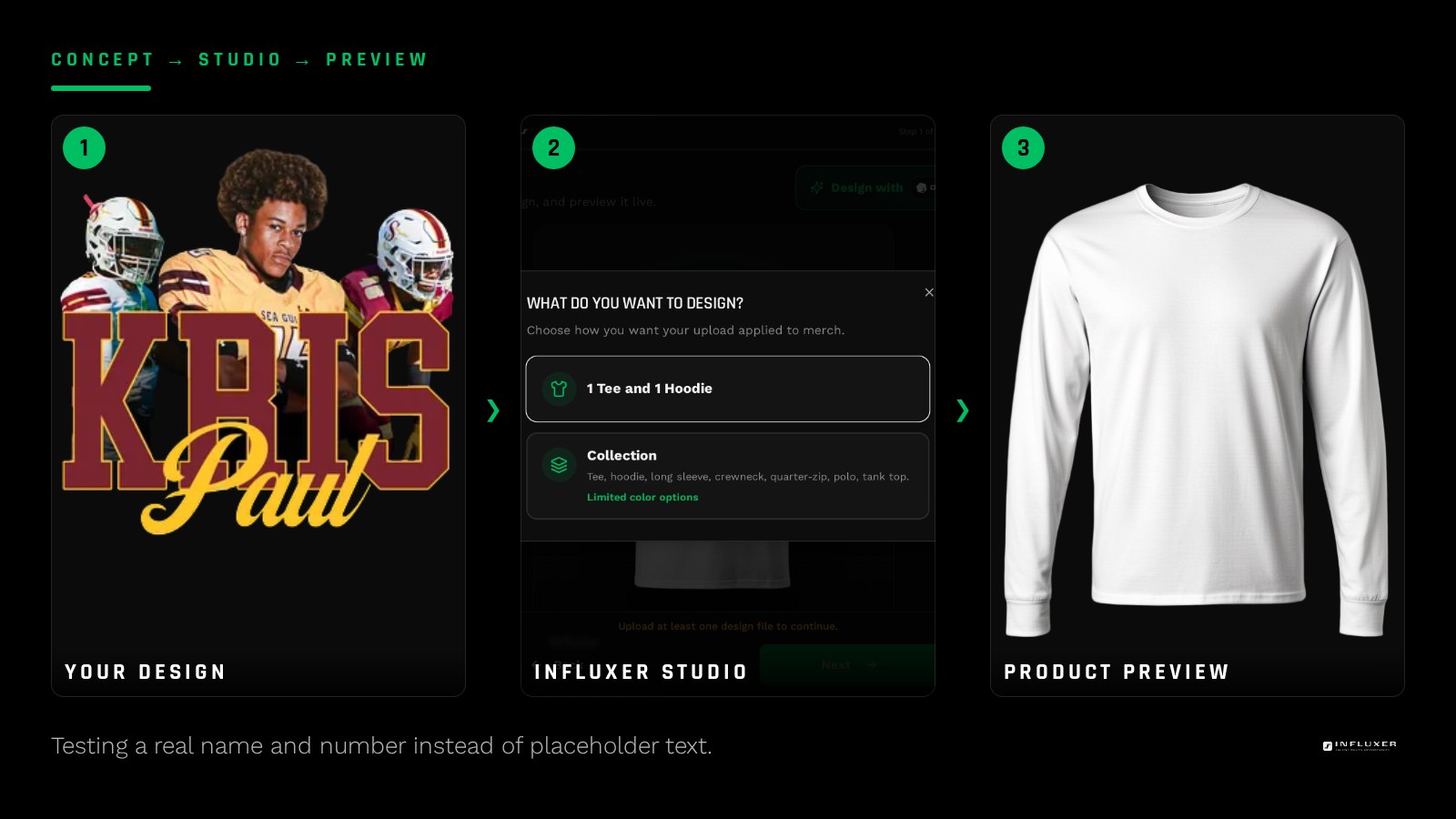
A template that looks balanced with short sample text can break the moment you type in a longer name. Before you commit, put your actual name, number, and any additional line of text (team name, graduation year, hashtag) into the fields and look at the result at full size, not thumbnail size.
If your name is long, look specifically at whether the layout drops to a smaller type size gracefully or crowds against the edge of the print area. A layout that handles a long name cleanly is a better pick than one that only looks good with short text, even if the short-text version caught your eye first.
- Type your exact name and number into every template you are considering.
- Check the longest piece of text you plan to include, not the shortest.
- Compare at full chest scale, not the small thumbnail preview.
Check contrast in your actual color
A design that reads clearly on white can lose most of its impact on a mid-tone garment. Preview your filled-in template on at least two colors, including the darkest and lightest options you are considering, before you decide.
If you are torn between two similar colors, like Blue Jean and Chambray, pick based on how the specific text and graphic combination reads in each, not on which color you like more in the abstract. The same design can favor one color clearly over another once your real text is in it.
Decide if you want to still like it after the season
Some templates lean hard into a single season or event: a specific graduation year, a season number, a one-time date. Those are fine for a shirt built for that exact moment, but they are the wrong pick if you want something you will still wear two years from now.
If you want longevity, favor templates built around your name, number, and sport rather than a specific date or one-off phrase. A name-and-number tee has a much longer shelf life than a "Season 2026" graphic.
Compare tee and hoodie versions of the same idea
Many template families offer a matching tee and hoodie treatment. Before deciding on one garment, check whether the hoodie version repositions your text to clear the SS4500 pocket seam, since a layout that sits low and centered on a tee often needs to move higher on a hoodie to avoid the pocket.
If you are ordering both garments, confirm the two versions actually match rather than assuming they will, since a slight difference in size or placement between the tee and hoodie versions of a template is common and easy to miss until you are looking at both mockups side by side.
Common regrets and how to avoid them
The most common regret is picking a template for its graphic and only noticing afterward that the text treatment does not suit a long name. The second most common is choosing a color because it looked good on screen without checking it against the specific design elements. Both are avoidable by testing real text and real colors before you submit, not after.
A smaller but real regret: picking a template tied tightly to a single event when the shirt was actually meant to be worn all season. If you are unsure which you want, lean toward the more general layout; a specific one-off design is easy to add later for a specific event, but a shirt that only makes sense on one day gets worn far less.
Your template selection checklist
- Filter by sport before you look at style options.
- Decide game-day shirt versus everyday fan tee before browsing.
- Type your real name, number, and any extra text into candidates.
- Compare candidates at full chest scale, not thumbnail size.
- Preview in your darkest and lightest color options.
- Check the hoodie version for pocket clearance if ordering both garments.
- Favor name-and-number layouts over date-specific ones if you want longevity.
Frequently asked questions
How many templates should I compare before deciding?
Three to five filtered by your sport and occasion is usually enough. Testing your real text in more than that tends to blur your judgment rather than sharpen it.
Should I pick a template based on the graphic or the text layout?
Text layout matters more for how the shirt reads day to day, since your name and number are what people actually see and say out loud. Judge the graphic second, once you know the text treatment works.
What if none of the templates fit my long name well?
Look for a layout with a smaller or condensed type option, or consider using initials plus your number instead of a full name. A design built for a shorter name family generally handles this cleaner than forcing a long name into a wide layout.
Can I switch templates after I start filling one in?
Yes. You can go back and try a different layout with the same text and color choices before you commit anything at Review, so testing a few options is low cost.
Start comparing templates — Filter by sport and test your real name and number before you commit.
See how the timeline compares — Not sure if a template or a custom design fits your timeline better?