Help me choose
How to Start Custom Athlete Merch: A Beginner Walkthrough
A beginner-friendly walkthrough of how custom athlete merch actually works, from choosing a starting path to submitting your order.
By Influxer · Published 2026-08-16 · Updated 2026-08-16 · 5 min read
If you have never ordered custom merch before, the hardest part is not the design. It is not knowing what the process even looks like, so every choice feels like it might be the wrong one. This walkthrough removes that guesswork by describing exactly what happens, in order, from the moment you land on the site to the moment your order reaches the Influxer team.
There are two honest starting points, and neither is the "right" one for everybody. Some people already have a design or logo and just need it placed on a shirt correctly. Others have no artwork at all and want to start from something ready-made. Both are normal, and both lead to the same five-step studio.
This is the first stop in a small series on getting started. Once you know the shape of the process, the checklist and step-by-step articles linked below fill in the details.
Two starting points, one studio
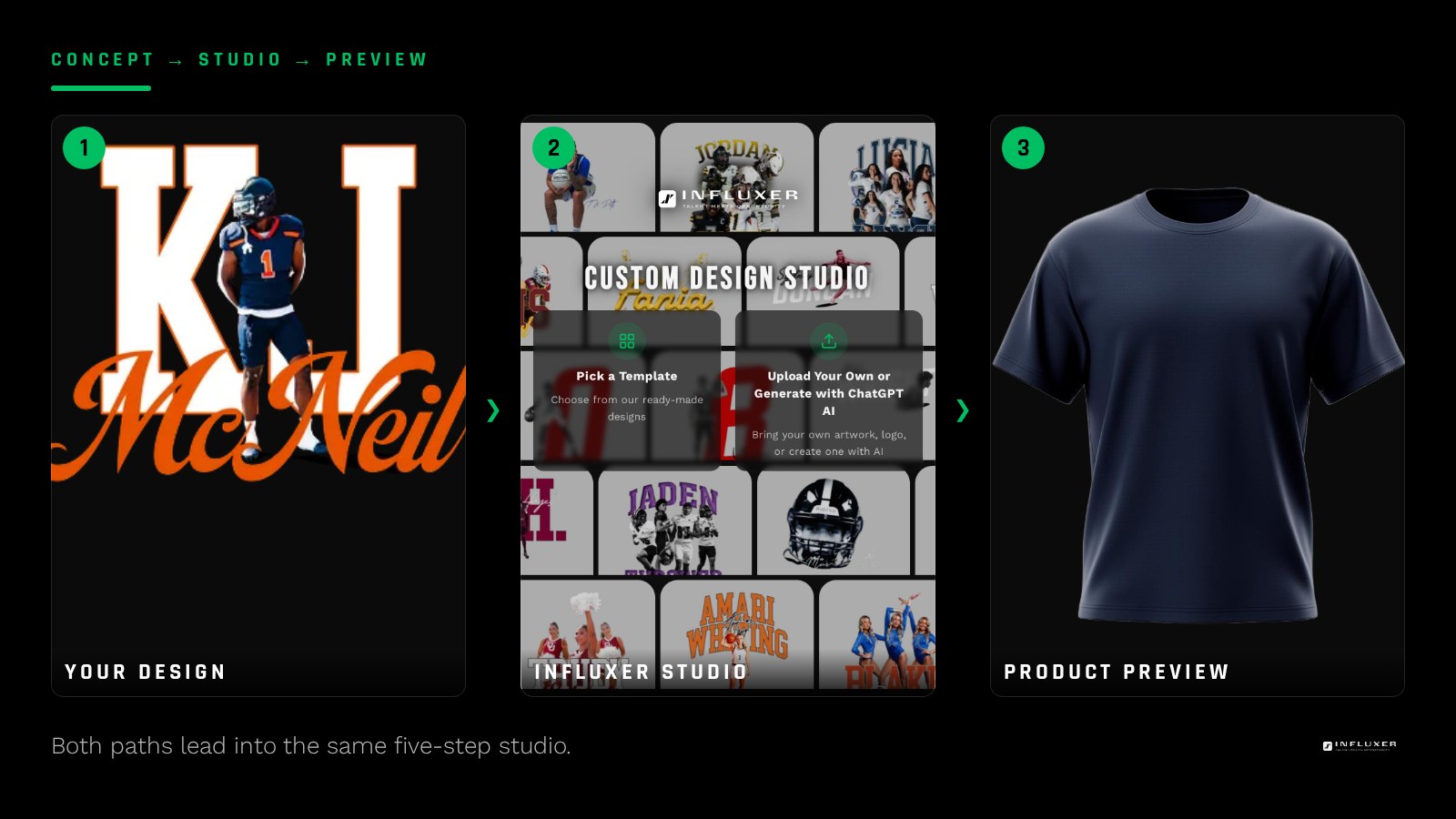
Every merch order begins with a choice between uploading your own design or picking a ready-made one. Upload fits someone who already has a logo, a wordmark, or artwork made in Canva or Photoshop. A ready-made design fits someone who wants to start from a finished layout and adjust colors rather than build from scratch.
Neither choice locks you into a worse outcome. Both feed into the same Influxer Custom Design Studio, land on the same real garment mockups, and go through the same review before production. The only real difference is where the artwork comes from.
- Already have a logo or graphic ready: start with upload.
- No artwork yet, want something finished fast: start with a ready-made design.
- Not sure yet: /start compares both without pushing you toward either.
The five steps you will move through
Once you pick a path, the studio walks you through five steps: Design, Photo, Signature, Info, and Review. Design is where your artwork or template gets placed on the garment. Photo lets you add a supporting image if you want one. Signature is genuinely optional and can be skipped without holding up your submission.
Info collects who the order belongs to, and Review is your last look at everything before it goes to the Influxer team. None of these steps require special software or design skill; they are built around choices, not blank canvases.
- Design: place your upload or ready-made design on tee, hoodie, or other garments.
- Photo: optional supporting image.
- Signature: optional, skippable entirely.
- Info: your name and order details.
- Review: confirm everything before you submit.
You do not need a finished plan on day one
One thing beginners assume incorrectly: that they need every decision made before they start. They do not. Your progress in the studio auto-saves as a draft, so you can start the Design step, leave to find a better photo, and come back later using a resume link rather than starting over.
This matters because good merch decisions, like a garment color that actually matches your team palette, sometimes take a day or two to settle. The studio is built to let you leave and return without losing anything you already entered.
A full account is not required
You can complete an entire submission without setting up a full Influxer account. The Info step offers a lookup for people who already have one, a signup link if you want one, and a manual path if you would rather just enter your details and move on.
This removes a common blocker: people who stall out because they think account creation is mandatory before they can even see a mockup. It is not. You can preview your design, place it, and submit without that step ever becoming a requirement.
What the review step is actually checking
Before your order reaches production, a human on the Influxer team reviews it against a short list of real print requirements: image resolution, transparency, contrast against the chosen garment color, and whether the artwork sits correctly inside the print area.
If anything needs a fix, you get a specific request rather than a vague rejection, and your existing draft data stays intact. You are not rebuilding your submission from the beginning; you are replacing one file or adjusting one placement.
Picking between the two paths without overthinking it
If you keep going back and forth, use one simple test: do you already have a file you would be proud to see enlarged on a chest print? If yes, upload it. If the honest answer is "not really" or "I do not have anything," start from a ready-made design instead. You can still make it feel personal by adjusting garment colors and adding your name or number in the Info step.
Either way, the fastest way to stop guessing is to open the studio and see your choice on a real mockup. Reading about placement only gets you so far; seeing your name on an actual hoodie preview settles most doubts in a few seconds.
Before you start your first order
- Decide if you have usable artwork or want to start from a ready-made design.
- Have your team or personal colors in mind, even loosely.
- Know roughly which garments you want: tee, hoodie, or both.
- Have a name, number, or nickname ready for the Info step.
- Do not worry about finishing in one sitting; your draft auto-saves.
- Skip the Signature step if you have no reason to use it.
- Save your resume link or use the same device if you plan to come back.
Frequently asked questions
Do I have to choose between upload and template before I start?
Yes, the studio needs to know which path you are on, but you are not locked in forever. If you start one path and change your mind, you can start a fresh flow in the other mode without your first attempt overwriting anything, since the two paths keep separate draft data.
Can I stop halfway through and finish later?
Yes. Your progress auto-saves as a draft, and you can pick it up again from a resume link. You do not need to finish the Design, Photo, Signature, Info, and Review steps in one sitting.
Is a full account required to submit an order?
No. The Info step offers an account lookup, a signup link, or a manual entry option, and the manual path lets you complete your submission without creating a full account.
What happens after I hit submit on the Review step?
Your submission goes to the Influxer team, who check the artwork against real print requirements before production. If something needs a fix, you get a specific, actionable request rather than a generic rejection.
Compare both paths — See upload and ready-made designs side by side before you choose.
Watch the studio walkthrough — Short videos covering every step of the design studio.